
 EN
EN  NL
NL  DE
DE  FR
FR 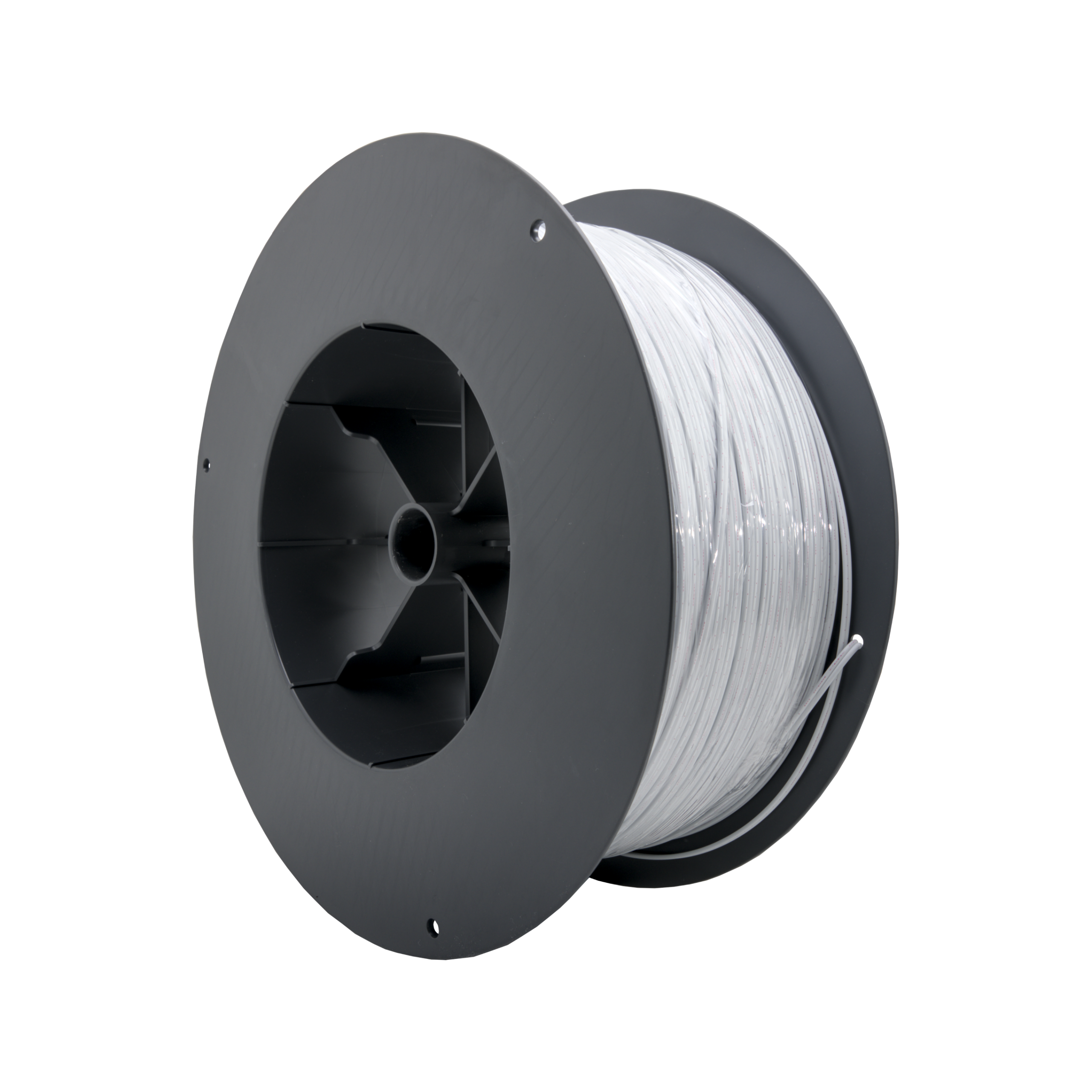
manual
Halonex® Cable
OXS-C2W


Manual
Halonex® Cable
OXS-C2W
Index
About the product
Congratulations on purchasing the Halonex® Polymer Optical Fiber (POF) cable 2.2mm dual fiber!
In front of you have the dual core Polymer Optical Fiber (POF, also known as Plastic Optical Fiber) cable for building a network together with FiberUnlimited components. Below you will find a quick overview of the highlights.
Cable
The cable has:
- Dual fiber 1mm diameter both with optical core
- Cladding layer and protective cover layer
- One fiber marked to indicate TX/RX
- Bending radius 40mm
- Different colors available
Easily connected
Using the POF cable to set up a network was never easier. Installing and mounting a custom size cable can be done in just 3 simple steps:
- Rol out cable to the desired length
- Cut the POF cable to size
- Connect to a device with Easy Lock™ port
Allowed in the same tracé next to all other kinds of cable!
No more fiddling with RJ45 connectors!
Redundant network
Using POF cable into your network can be installed in a ring or line (daisy chain), rather than the traditional star topology; star topology however remains a possibility. Besides the obvious benefits of less cable, less installation time, less pollution and more flexibility your network also becomes redundant. Just connect the POF cable on several devices in a ring and make your network redundant.
For a full specification refer to the datasheet at www.fiberunlimited.com/manuals.
What is in the box?
| Quantity | Item | Product nr |
|---|---|---|
| 1 | Reel POF cable | OXS-C2X-XXX/XX |
Warnings & Precautions
Please read the following warnings and precautions carefully.
Remove power from power lines
When you intend to connect the cable eventually, please make sure and verify that the power running towards the device is OFF before installing the device.
Tip: Switch off the phase you are working with.
Do not stare into POF ports & POF cables
Once installed refrain from looking directly into the POF ports or the ends of the POF cable. The used optics emit a red color so you can see the light in order to establish the correct way of installing the cables. The red light is LED based and not harmful. However, staring into the light for a prolonged period can result in eye irritations or worse.
Use the proper tools for installation
When installing the POF cable make sure to use proper tools that are purpose made for the job at hand. Using the wrong tools may result in injury or a bad connection.
Follow construction regulations
For your own personal safety always follow the construction warnings and regulations when installing the cable.
Avoid wasting cable!
Where a reel of POF cable is near its end, it can be dealt with efficiently. Residual lengths can always be used between two devices within the technical perspective of the device in question. This method prevents many long lengths of residual pieces/cutting waste.
Other
- Working with POF cable must be performed by a certified professional.
- Only use the cable for its intended purpose.
- Only install the cable following the instructions provided in this manual.
- Refrain from manipulating, altering, adjusting the cable in any way other than as indicated in this manual. This includes but is not limited to heating the cable, deforming in any way, applying lubricants and using excessive force.
- Operate the cable in its intended environment and within its environmental conditions.
Product overview
OXS-C2X-XXX/XX
Top view

Device properties
| Dimensions | Single fiber: 2.20 mm +- 0.07 mm Maximum external cross section: 2.2 x 4.4 mm |
| Weight | 10.3 gram/meter |
| Tensile strength | >140N (dual core): less than 5% elongation, no optical influences or deformation after release at breaking point: >180N |
| Bending radius | Min. 40 mm (resulting in < 0.5 dB for a quarter bend (90°) |
| Endurance | Mechanical endurance: over 100 years Optical endurance: over 20 years (at 50°C, 95 %RH) Operating humidity: 5%RH to 95%RH (non-condensation) Storage temperature: -55°C to +70°C Storage humidity: 5%RH to 95%RH (non condensation) |
| Standards & Certifications | RoHS/REACH CE UL VW (Halogen-free flame retardant PE) |
Installing the cable
Need to know
The following items need to be taken into account when connecting the OXS-C2X-XXX/XX POF cable. Make sure that the cable has been cut at a 90°C angle and has no residue.
Needed tools & accessories
| Item | Quantity |
|---|---|
| (Professional) POF cable pliers | 1 |
| (Optional) POF cutter | 1 |
| (Optional) Reel spool | 1 |
Installation
Step 1
Make sure and verify the cable duct through which you want to install is free of tight bends, sharp edges or obstacles. Choose any kind of tracé you want. Due it’s characteristics it is allowed to lay the POF cable in the same duct next to all other kinds of cable.
Note:
- A damaged sheath of the POF cable affects the light passing through the cable and thus the proper functioning of the network as such. We recommend the use of jacket pipe.

Step 2
Use a reel spool to roll out or pull the cable to the desired length in the desired trace and be aware of bending.
Notes:
- The maximum fill level of a jacket pipe or duct (70%) may not be exceeded.
- Avoid pinching or point loads during mounting of the cable.
- Be careful when pulling the cable to prevent damage (max. tensile load up to 15kg).

Step 3
Cut the cable to the required size.
Tips:
- Be sure the end of the cable is always cutted nice, round and clean to allow good light to pass through when connecting!
- Make sure you distinguish the RX and TX. A POF cable consists of two conductors, one of which has a printed mark. This can serve as a marker (wire left/right). Otherwise use labels to distinguish multiple POF cables from each other within the same project.
- Before cutting be aware of possible excess length. Never let excess length hang loose but bunch them neatly in a roll, taking the bending radius into account.


Step 4
(Optional)
Connect to a device.
For further information see the device manuals at www.fiberunlimited.com/manuals

Step 5
(Optional)
Test cable and connection with NTS (see manual NTS for more information)

Troubleshooting
Experience problems during installing the cable? Find the applicable symptom below for suggestions on how to fix it.
| Symptom | Suggestion |
|---|---|
No red light through the cable |
Check if the POF cable is damaged.
Tip: also check if the compete trace is free of tight bends, sharp edges or obstacles. Tip: to rule out a problem in the trace, run an additional cable outside the trace and see if you can establish a connection.
|
Slow throughput |
Check if the POF cable is inserted deep enough in the Easy Lock™ ports and connected properly.
Tip: Check both ends of the POF cable.
|
Support
More information
For more information, you can check our website www.fiberunlimited.com or the manuals at www.fiberunlimited.com/manuals.
Personal support
If you are in need of personal support please sent your question to support@fiberunlimited.com.
Required information
Please include both the product ID, Mac-address and/or serial number (on the top side of the device) in your inquiry. This will help give you the support you need.
Declaration of conformity
We, FiberUnlimited declare under our sole responsibility that this device is in conformity with the essential requirements and relevant regulations of the applicable EU-directives (2014/30/EU, 2014/35/EU, 2011/65/EU). The complete Declaration of Conformity is available in the download section at www.fiberunlimited.com.
Disposal & Recycle
Guideline 2002/96/CE concerning the handling, collection, recycling and disposal for electrical and electronic equipment and their components („waste electrical and electronic equipment“, known as WEEE). The crossed symbol on a rubbish container indicates that the machine or device is not allowed to be disposed of but it must be handed over to a suitably equipped collection center for proper recycling or disposal.
Disclaimer
Information regarding this product is subject to change without notice.
All information in this publication generally reflects the status at the time of printing. Despite considerable care taken in the preparation of the publication, errors may occur. We also reserve the right to make changes to our products, specifications and other data. Changes may also become necessary as a result of legal, technological or other external requirements, which canno t or can no longer be considered in this publication.
For this reason, we cannot assume any liability which is based solely on the data provided in this publication. The decisive role with regard to the data on products and services is always played by the order placed, the product actually purchased and the documentation in connection with it, or the information provided by our specialist staff in each specific individual case.